Notary office software: a 10-minute visit
The client opens a link, enters their details and photographs their documents. You check everything in advance, and the deed is built from your template — names declined, dates and sums in words. At the visit all that is left is to compare the originals and sign.
details and photos from a phone
documents and registries
from a template, names declined
compare originals and sign
Notary office software — everything it does
Notary software for notaries and their assistants: online client preparation, document templates, checks, an acts register, a website and booking — with data on an EU server. It does not replace the state registries (Ye-Notariat / NAIS): you register the act there and prepare it here. Click any screen to take a closer look.
The client prepares at home — the visit takes 10 minutes
After booking, the client gets a link: they enter passport details and photograph documents on their phone, with no sign-up and no app. The other party fills in theirs from their own link. Once you have checked everything, the client sees “Ready” and a list of originals to bring.
- Details and document photos from a phone
- The other party gets their own link
- “Ready”, the fee and the address before the visit
Preparation board: who sent what
Every case moves by itself: booked → client filling in → to check → ready for the visit. Each card shows the parties, new documents and an AML flag — you know where to start the morning.
- A case appears as soon as someone books
- New documents and flags on the card
- A notification when the client has sent everything
Client documents: accept or send back with a note
Document photos sit in the case next to the details. Accept one and it turns green. Something wrong? “Redo” — and the client immediately gets a message saying what to reshoot. The bar at the top shows how much is left until the case is ready.
- Photos and PDFs, including from Diia
- “Redo” with a message to the client
- Case readiness in per cent
Registry checks — with evidence and a name
Each party and object gets its own list: invalid passports, debtors, sanctions, the business register, vehicles, real estate. Open a registry in one click, set the result, attach a screenshot — who checked and when is saved. Deals from 400,000 UAH, with PEPs, non-residents or companies get an AML flag.
- Registries open in one click
- Who checked and when + screenshot evidence
- AML flags and export
Your template once — then a deed in a minute
Paste the text of a power of attorney or contract as you would in Word, and click fields on the right: full name in the right case, passport, address, vehicle, price. Eight ready templates are included — powers of attorney, sale, gift, will, consent for a child to travel.
- Fields are inserted with a click
- Names declined in every case Ukrainian deeds need
- 8 ready templates to start with
A draft from the client’s data — PDF or Word
One button and the draft is filled with what the client sent: the attorney’s name declined, the date and price in words. Anything missing is highlighted in yellow. Print to PDF or Word; after registration the number fills itself in.
- Declined names, dates and sums in words
- Empty fields highlighted
- PDF and Word in one click
An office website with a “What to bring and what it costs” calculator
A ready website under your brand with appointment booking. A visitor picks what they need, answers 3–4 questions and sees who pays which tax (personal income tax, military levy, pension levy) and which documents to bring. Fewer “what do I need?” calls.
- Income tax, military and pension levies
- A document list for the situation
- Booking from the same page
Analytics for a notary office
How much has been paid, how many acts, the average fee, what share of cases was prepared online and how many deals carry an AML flag. Broken down by notary and act type, compared with the previous period.
- Paid, acts, average fee
- “Prepared online” in per cent
- By notary and act type
Ready to work on day one
Three things included in every plan at no extra cost. Here is how they work in this product.
Set up in 10 minutes, no manual needed
Your office profile and the price list of notarial services are already filled with typical items, so you only adjust the prices. The online client form, document templates and the register work right away.
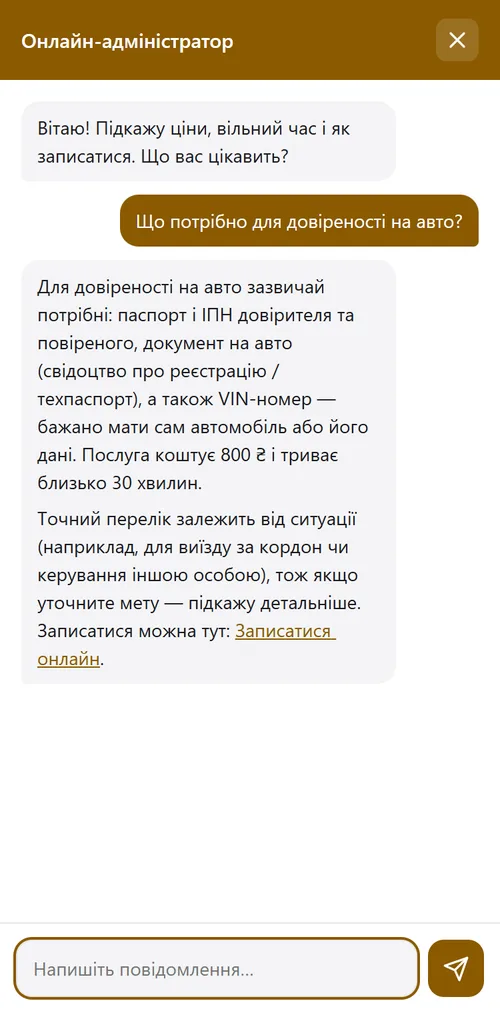
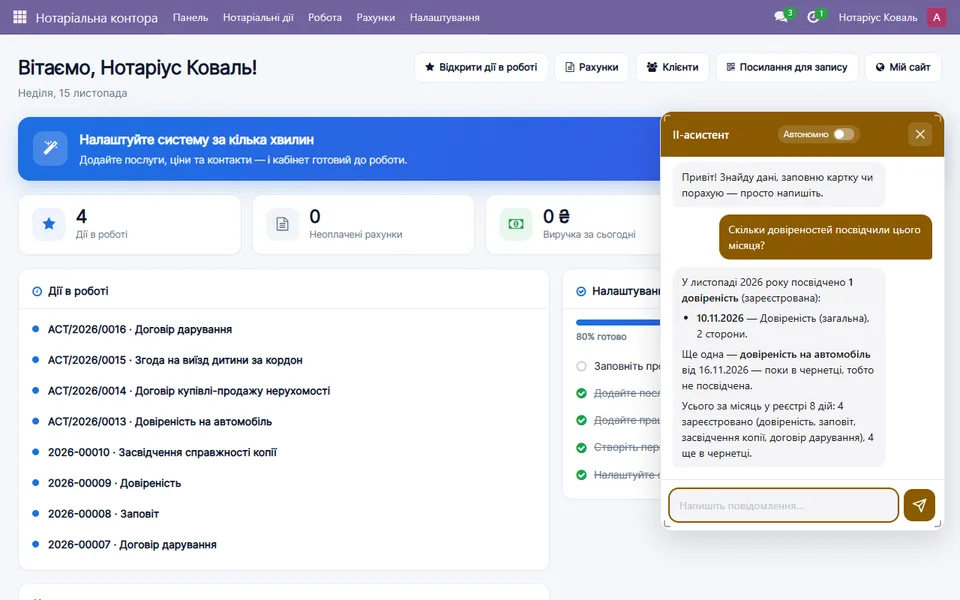
Answers clients and helps your team
Tells clients which documents to bring and what each service costs, and sends them to the online form. Fewer "what should I bring?" calls, and a visit takes 10 minutes instead of an hour.
Works out of the box on a free model with a daily limit. Connect your own model (Claude, ChatGPT, Gemini) at any time.
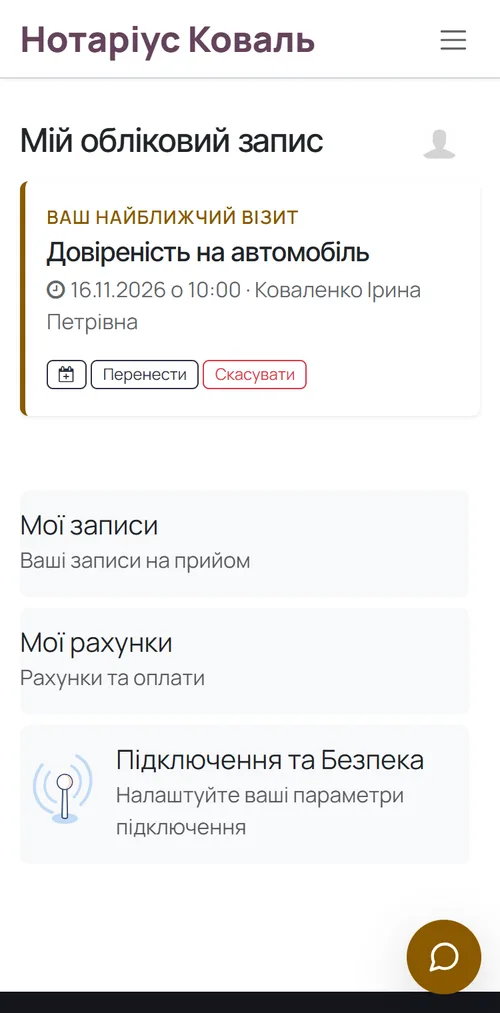
Your back office as an icon on the phone
Clients put your portal on their phone, fill in the form there, and see their visit time and when documents are ready. The notary and assistant open the register and appointments from a phone.
No App Store or Google Play: tap “Install” in the browser and your icon with your name appears on the screen.
A system that works for your business
One simple plan
No hidden fees, no lock-in. Your data is yours, export anytime. Core updates arrive automatically.
- ✓ Online client preparation: details, document photos, the other party
- ✓ Templates with declension, drafts in PDF and Word
- ✓ Registry checks and AML flags
- ✓ Office website, calculator and online booking
- ✓ Acts register, invoices and analytics
Frequently asked questions
Does this notary software replace Ye-Notariat?
No. Registering acts stays in the state Ye-Notariat system and registries. This covers everything before it: client preparation, the deed from a template, checks, booking, records and payments. Ye-Notariat site ↗
What does the client need?
Just a phone and the link — no sign-up, no app. Everything saves automatically and they can come back later. The other party fills in theirs from their own link.
Does it work with Diia?
The client can upload a PDF of a document from Diia along with other photos. Sign-in and signing via Diia and Diia.Sharing need a separate contract with the state — we connect them on request.
Can I use my own templates?
Yes. Paste your text as in Word and click the fields you need — every document of that kind then fills itself. Eight ready templates are included to start with.
How long does setup take?
A few minutes. After payment the service deploys automatically and credentials arrive by email. A demo office with sample cases is there from the first day of the trial.
Is the data secure?
Each office is a separate, isolated database on an EU server. The client’s link is personal and leads only to their case. Staff access is limited by roles.
Try MCC Notary today
14 days free. Then 690 ₴/mo, cancel anytime.
The register of notarial acts: what the state keeps, what the office does →
Ye-Notariat, LEX or EasyWeek: what each one does →